

Same radios. Opposite philosophies. One of them is probably wrong for you — and it’s not the one the internet is arguing about.
Cell service goes down more often than most people admit. Not in a movie way. In a boring way — a tower loses backhaul, a storm knocks out power for three days, 40,000 people evacuate through the same corridor and the network folds under the load. The Minnesota water system attacks this summer put a finer point on it: infrastructure fails, and it doesn’t always fail because of weather, if your water supply is what’s at risk, that’s a different problem with a different fix.
So you start looking at off-grid comms, and within about ten minutes you hit the same fork in the road everybody hits: Meshtastic vs MeshCore. Two projects, both free, both running on the same $30–$60 LoRa boards, both promising text messaging without a tower, a SIM, or a subscription.
The forums will tell you one is obviously better. They’re wrong, and in a specific way that matters. Here’s the honest version, from someone who’d rather find the dead zone on a Saturday than during an evacuation.
Table of Contents
The 30-Second Answer
Run Meshtastic. For probably 85% of people reading this, that’s the whole article. It’s free end to end, the app is polished, the community in North America is an order of magnitude larger, and — this is the part everyone skips — there’s a decent chance somebody within radio range of you is already running it.
Run MeshCore if you’re deliberately building a network rather than joining one. A property with outbuildings. A hunting camp. A valley where you’re going to hang solar repeaters on ridgelines and want traffic to walk a long chain of hops without stepping on itself.
The thing nobody says out loud: the entire Meshtastic vs MeshCore debate is downstream of one fact — a mesh network with one node on it is a $50 paperweight with a nice antenna. Whichever firmware your neighbors, your hunting party, or your local group is running is the correct answer, and it beats every technical argument below. Check first. Then read the rest.
Meshtastic vs MeshCore: What These Things Actually Are
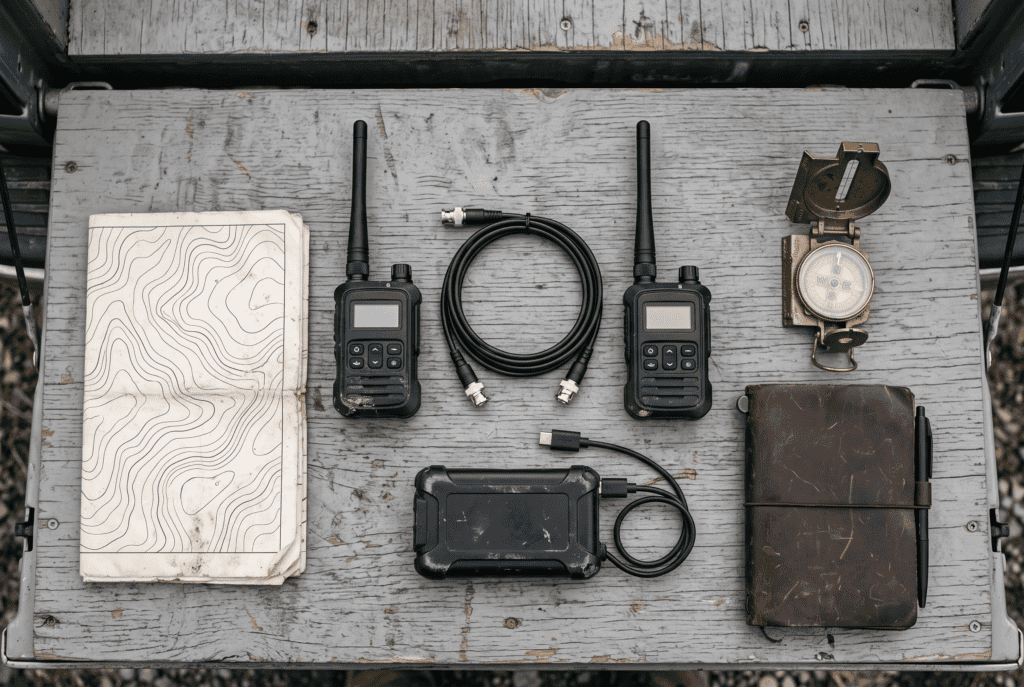
Both are free firmware you flash onto a small LoRa radio board. LoRa is a low-power, long-range, very low-bandwidth radio protocol operating in the license-exempt 902–928 MHz band in the US. No license required. No monthly fee.
Low bandwidth is not a rounding error here. You get text messages and GPS positions. That’s it. No voice, no photos, no video, nothing that resembles the internet. A message is a few hundred bytes and may take several seconds to arrive.
Realistic range between two nodes is 2–5 km in normal terrain, less in dense urban or heavy timber, and dramatically more with height and line of sight — ridgeline to ridgeline shots of 50 km+ are documented. Multi-hop meshes have spanned well over 100 km. The variable that matters most is elevation, not which firmware you picked. A node in a window well will disappoint you regardless.
The hardware is identical between the two: Heltec V3, RAK4631, LilyGo T-Beam, T-Deck, T-Echo, Seeed XIAO, Station G2. Switching firmware is a browser-based reflash, not a purchase. They do not interoperate — a Meshtastic node and a MeshCore node cannot talk to each other, period. One firmware at a time, no dual boot.
That last point is why this decision matters more than it looks like it should.
The Core Difference in Meshtastic vs MeshCore: Who Repeats?
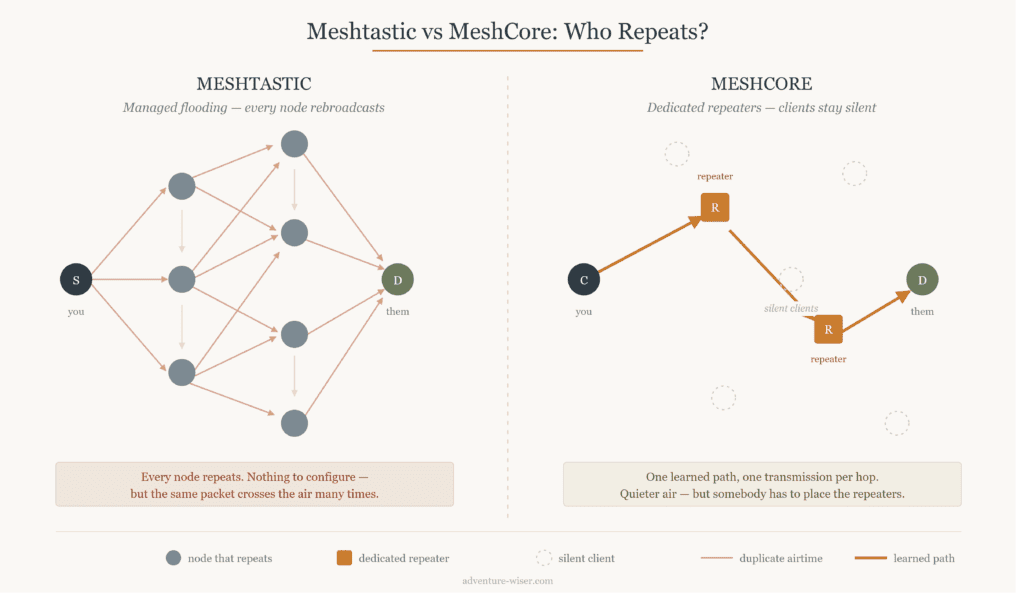
Everything downstream comes from one design choice.
Meshtastic uses managed flooding. Every node is a repeater. You send a message, your neighbors rebroadcast it, their neighbors rebroadcast it, out to a hop limit — default 3, hard ceiling 7. It’s self-organizing and self-healing. Add a node anywhere and the network absorbs it and gets stronger. No planning, no roles, no thinking. (Since firmware 2.6, direct messages use learned next-hop routing after an initial discovery rather than flooding forever, which cut a lot of the point-to-point noise.)
The cost is airtime. In a dense area, dozens of radios rebroadcast the same packet, and the channel gets loud. LoRa has very little bandwidth to spare, so “loud” translates directly to “slow and unreliable.”
MeshCore separates roles. Client devices — the radio in your pocket — never repeat anything. They send and receive their own traffic and stay quiet otherwise. Repeating is done by dedicated Repeater nodes you place on purpose. There’s also a Room Server role that stores message history like a small BBS, so someone who was off-air can catch up. Traffic floods once to discover a path, then source-routes along that learned path, supporting up to 64 hops.
The cost is planning. MeshCore doesn’t magically work when you turn it on. Somebody has to decide where the repeaters go and get power to them.
The trade in one line: Meshtastic asks nothing of you and accepts noise as the price. MeshCore asks you to design a network and pays you back in quiet. That single trade explains almost every other difference between them.
Meshtastic vs MeshCore: Head-to-Head Comparison
| Meshtastic | MeshCore | |
|---|---|---|
| Routing | Managed flooding, every node repeats | Dedicated repeaters, clients stay silent |
| Hop limit | Default 3, ceiling 7 | Up to 64 |
| Setup | Flash and go | Assign roles, place repeaters deliberately |
| Handheld battery | Shorter — your radio relays everyone’s traffic | Longer by design (real-world numbers are anecdotal, not benchmarked) |
| Behavior in dense meshes | Degrades as node count climbs | Holds up better |
| Behavior in empty terrain | Any node extends the mesh | Needs repeaters or it’s point-to-point |
| Encryption | AES-256-CTR channels, public-key DMs | Ed25519/X25519 key exchange, but AES-128-ECB payloads with a 2-byte MAC |
| Cost | Free, GPL-3.0, end to end | MIT firmware; official apps closed-source; ~$10 unlocks for some features |
| Internet bridging | Built-in MQTT, official broker | Community gateways, self-hosted |
| Community (US) | Large, established regional groups | Thin — strongest in UK/Europe |
| Extras | ATAK plugin, deep sensor/telemetry ecosystem | Sensor role exists, younger |
Where I’d Push Back on the Hype
Two things get glossed over in most Meshtastic vs MeshCore comparisons, and you should know both before you spend money.
MeshCore’s crypto is the weaker of the two. The key exchange design is clean — Ed25519 identities, per-contact X25519 keys. But the actual message payloads use AES-128-ECB with a 2-byte truncated authentication tag. ECB mode is the block cipher mode every cryptography course uses as the example of what not to do; it leaks structure in the ciphertext. A 2-byte tag is a very short leash for message authentication. Meshtastic’s AES-256-CTR with a per-packet nonce is the more conventional, more defensible choice.
To be fair in the other direction: Meshtastic has had its own security problem. CVE-2025-52464 covered weak entropy in key generation on certain hardware, which produced duplicate X25519 keypairs across devices — a real failure, disclosed and patched. Neither project has a spotless record.
MeshCore had a rough 2026, and it was governance, not code. In April, a trademark filing on the MeshCore name in the UK triggered a public split — the core developers moved to a new site and their own community channels, while the original site, YouTube, and Discord stayed under separate control. Note that this was not a code fork; the same people kept working on the same repository.
Around the same time, a detailed security critique flagged unchecked buffers in the firmware, including a bug allowing a repeater to be remotely wiped. And the paid unlock system turned out to derive product keys from a simple hash of the device ID — someone published a web page that generates valid keys in one click.
The MIT firmware license is genuinely more permissive than Meshtastic’s GPL-3.0, which builders like. But the official phone and web apps are proprietary. There are three community open-source clients in progress; none are a complete replacement yet.
None of this makes MeshCore a bad project. The routing architecture is legitimately better-engineered for dense networks, and that’s a real accomplishment. But if your reason for going off-grid is that you don’t want to depend on somebody else’s infrastructure and goodwill, it’s worth knowing whose goodwill you’re depending on.
Meshtastic vs MeshCore by Situation
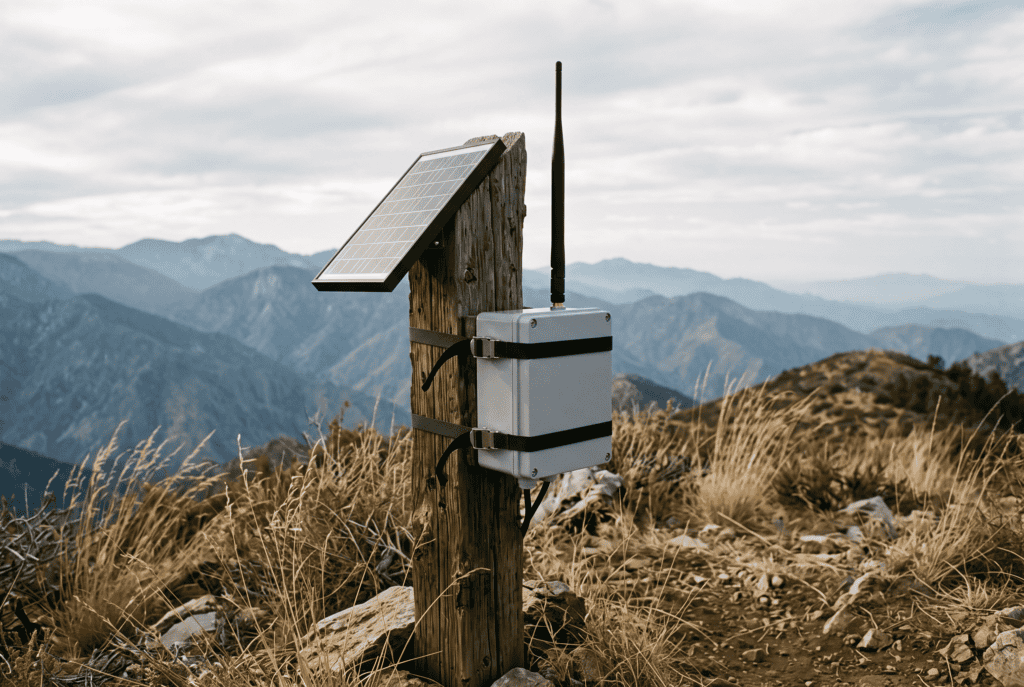
Most comparisons stop at the spec sheet. Here’s how the Meshtastic vs MeshCore choice actually shakes out once you account for where you live and who else is on the air.
Suburbs or a city, joining an existing group → Meshtastic. There’s likely a regional mesh near you with repeaters already on rooftops. Free coverage on day one.
Rural, spread out, few other users → Meshtastic, and the reason surprises people. With almost no nodes around, MeshCore’s efficiency advantage never comes into play — you don’t have congestion to solve. Meshtastic’s every-node-repeats model means every radio you or your neighbor adds extends coverage without anyone designing anything.
Property, camp, or ranch you control → MeshCore. This is its home ground. Two or three solar repeaters on high points, everyone else carries a quiet client that sips battery. Long hop chains along a valley or a fence line are exactly what 64 hops is for.
Family group, 4–8 people, mostly together → Either. Buy Meshtastic because the app is better and the support is deeper.
Search and rescue or a formal team → Meshtastic, on the strength of the ATAK integration and telemetry ecosystem alone. MeshCore has no parity there. (Worth noting there’s a MeshCore SAR client in development, but “in development” isn’t a plan.)
What Neither One Is
Before you get too deep in the Meshtastic vs MeshCore weeds: neither is a replacement for a radio that reaches help.
A mesh lets your group text each other when the towers are down. It does not call 911, it does not reach the county EOC, and nobody official is monitoring it. Under FCC Part 97, licensed amateur radio remains the tool that reaches organized emergency communications, and a GMRS license — $35, ten years, no test, covers your whole family — buys you more usable local voice range than any mesh node will.
Best answer: a NOAA weather radio to receive, GMRS or ham to reach out, and a mesh for silent text coordination inside your group. Different tools. The mesh is the one that lets four people spread across a property stay coordinated without shouting into a handheld.
If You’re Buying In

Start with two nodes, not one. One node tells you nothing.
Around $50–70 gets you a Heltec V3 or similar with a battery. Add a better antenna before you add a third node — antenna and elevation beat everything else, and it isn’t close.
Flash from the browser at flash.meshtastic.org or flasher.meshcore.co.uk. Both need Chrome or Edge; Web Serial doesn’t work in Firefox or Safari. One gotcha worth writing down: do a full erase when converting between the two projects, but never full-erase a MeshCore-to-MeshCore update — that wipes the node identity and keys. Re-pair Bluetooth after any conversion; the pairing key changes.
Then do the part almost nobody does. Go test it. Not in your driveway. Hand a node to your kid and drive across town. Walk the property line. Find out where it drops. A radio you’ve never tested past the mailbox is a hope, not a plan, and the middle of an actual outage is a bad time to learn that your bug-out route has a two-mile dead zone in the river bottom.
Frequently Asked Questions
Is Meshtastic or MeshCore better for preppers? For most people, Meshtastic — because the mesh you can actually join beats the mesh that’s theoretically better engineered. MeshCore wins when you’re building a private network on ground you control and can place repeaters deliberately.
Can Meshtastic and MeshCore talk to each other? No. They’re incompatible protocols on the same hardware. A node runs one firmware at a time, with no dual boot. Everyone in your group has to be on the same one.
Is it hard to switch between them? No — it’s a free browser-based reflash, not a purchase. Do a full erase when converting between the two projects, and re-pair Bluetooth afterward. Never full-erase a MeshCore-to-MeshCore update; that wipes your node identity.
Which has better range? Neither, meaningfully. Range is set by antenna quality, elevation, and terrain, not firmware. Expect 2–5 km in normal conditions and much more with line of sight from height.
Do I need a license for either one? No. Both operate in the license-exempt 902–928 MHz ISM band in the US.
Which is more secure? Meshtastic, on cipher strength — AES-256-CTR versus MeshCore’s AES-128-ECB with a 2-byte tag. MeshCore has the cleaner key-exchange design. Neither has a spotless track record.
The Bottom Line on Meshtastic vs MeshCore
Meshtastic for almost everybody, because the network you can actually join beats the network that’s theoretically better. MeshCore when you’re the one designing the network, and you’re willing to place repeaters and accept a younger, noisier project situation to get real airtime discipline in return.
And whichever you pick — the firmware debate is the least important decision you’ll make here. Antenna height matters more. Testing matters more. Having two people who know how to use it matters more than either.
Buy two, put one on a hill, and go find out where it stops working.
Adventure Wiser tests gear in the field before it goes on the site. If it doesn’t hold up on the trail, it doesn’t make the cut.
Whichever mesh you run, it only reaches people who also have nodes. The wider comms picture covers what to carry when that is not enough.
