

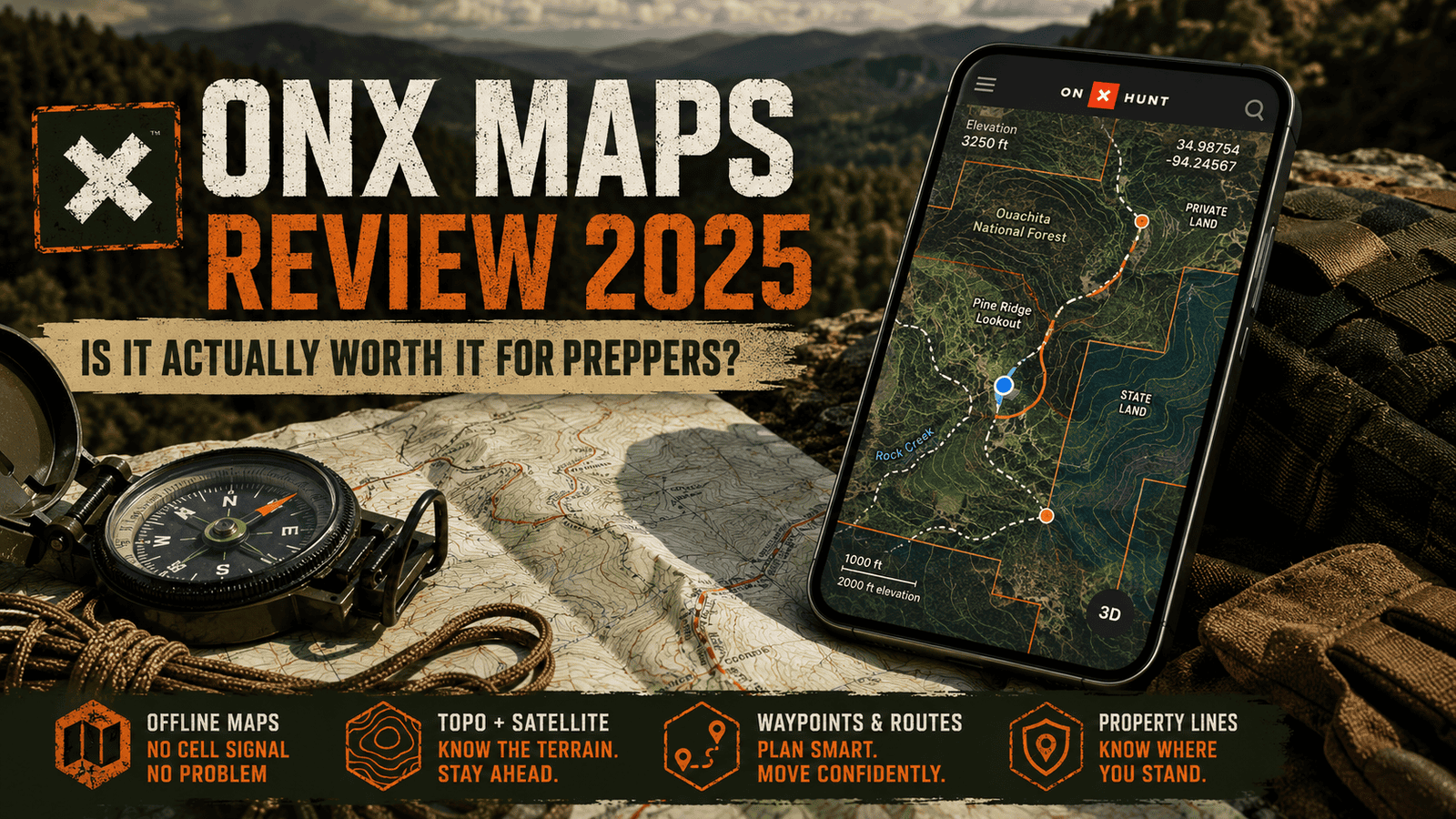

OnX Maps Review 2026: Is It Actually Worth It for Preppers?
Land nav apps are a dime a dozen right now. Everybody’s got a “tactical” map app trying to cash in on the prepper boom, and most of them are garbage dressed up in camo-green UI.
Before the list: Adventure Wiser labels how much hands-on time sits behind a recommendation. Unless a section says otherwise, treat the picks below as researched — compared on published specs, long-term owner reports and current street price, not personal field time. Here’s exactly what that means and why we do it.
I’ve spent two decades putting boots on the ground in the Ouachitas — first in the Navy, then just because I never stopped wanting to be out there — and I’ve tested more nav tools than I care to admit. So when people ask me whether OnX Maps is worth paying for, I don’t answer that lightly.
Short version: yes. OnX Maps earns its spot on my phone, and in this review I’m going to show you exactly why, where it falls short, and whether it deserves a place in your bug-out kit.

Our Take
Master the backcountry with confidence. Adventure Wiser combines 20+ years of survival expertise with tools like OnX Maps to help you plan, scout, and execute your bug-out routes even when the grid goes down.
| Best For | Bug-Out Route Planning |
| Price | Tiered Subscriptions |
| Discount | Seasonal Sales Available |
| Promotion | Check Current Offers |
Quick Verdict
Rating: 9.5/10
OnX Maps is the most reliable offline land navigation app I’ve tested for backcountry preppers, hunters, and anyone who needs to know exactly where they are when cell service disappears. It’s not perfect — the subscription stacking can get pricey if you want every layer — but as a core piece of your navigation redundancy plan, it’s hard to beat.
What Is OnX Maps?
OnX Maps is an offline-capable mapping and land navigation app built originally for hunters, but it’s grown into one of the most useful tools a prepper can carry. It layers public/private land boundaries, topo data, satellite imagery, and GPS tracking into one app that works even when your phone has zero bars.
The core idea behind OnX Maps is simple: download your area ahead of time, and the app keeps working when everything else — cell towers, Wi-Fi, your buddy’s “I know a shortcut” — stops working.
That offline reliability is the whole reason OnX Maps shows up on my gear list instead of staying a hunting-only tool.
Pros
- True offline functionality — no signal required once maps are downloaded
- Detailed land ownership and property line overlays (huge for legal land nav)
- Multiple map layers: topo, satellite, hybrid, slope, and more
- Waypoint marking and breadcrumb tracking for retracing routes
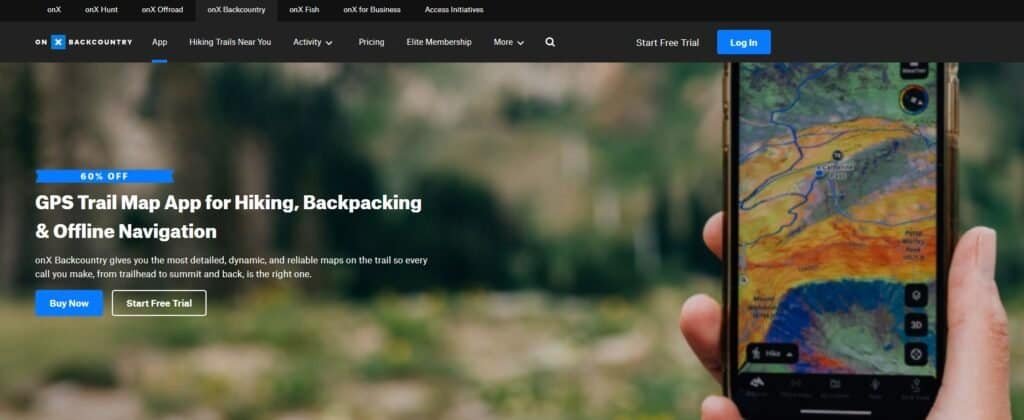
- Works across hunting, backcountry, and offroad versions depending on your needs
- Syncs across devices, so your bug-out routes aren’t trapped on one phone
Cons
- Full feature set requires the Elite tier, which adds up if you’re stacking it with other subscriptions
- Battery drain is real if you leave GPS tracking running all day
- Some property line data lags behind real-world changes in rural areas
- The interface, while functional, isn’t the most intuitive for first-time users
- No built-in two-way radio or comms feature — this is a map app, not a full comms solution
My Experience With OnX Maps
I first picked up OnX Maps for a hunting trip, the way most people do. It didn’t take long before I realized I was using it more for general backcountry land nav than for actual hunting.
What sold me wasn’t the deer sign or property boundaries — it was watching it hold a GPS lock and track my route through a stretch of the Ouachitas with zero cell signal, terrain that’s chewed up plenty of “reliable” apps before.
I’ve since used OnX Maps to scout bug-out routes, mark water sources, and pre-plan rally points for my own preparedness drills. It’s become less of a hunting app and more of a standing piece of my land navigation kit — right alongside a compass and a paper map, not instead of them.
OnX Maps Pricing
OnX Maps runs on a tiered subscription model, split by use case (Hunt, Backcountry, Offroad) and by feature level:
- Basic tier — Free, limited maps and features
- Premium tier — Mid-range pricing, unlocks more layers and offline maps
- Elite tier — Full feature set, including 3D map view, weather overlays, and advanced land ownership data
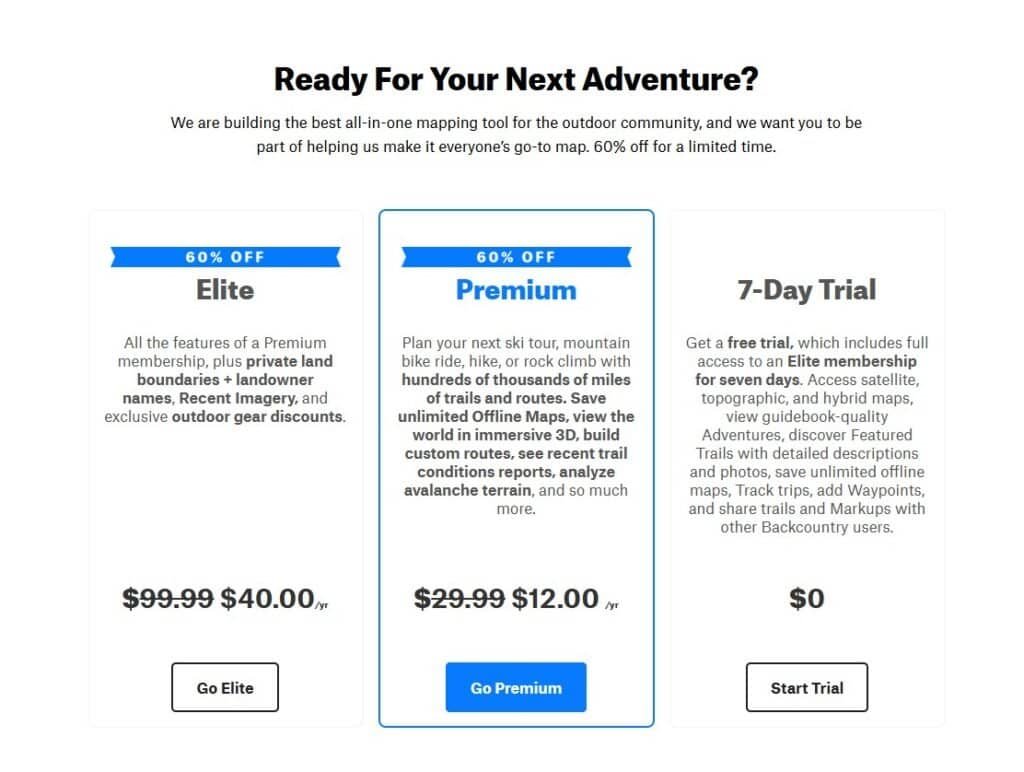
Pricing varies by which version (Hunt, Backcountry, or Offroad) you choose, and OnX Maps runs seasonal discounts fairly often, so it’s worth checking current pricing before you commit to a tier.
If you’re using OnX Maps purely for prepper-style land nav rather than hunting, the Backcountry version tends to be the better fit.
OnX Maps Features
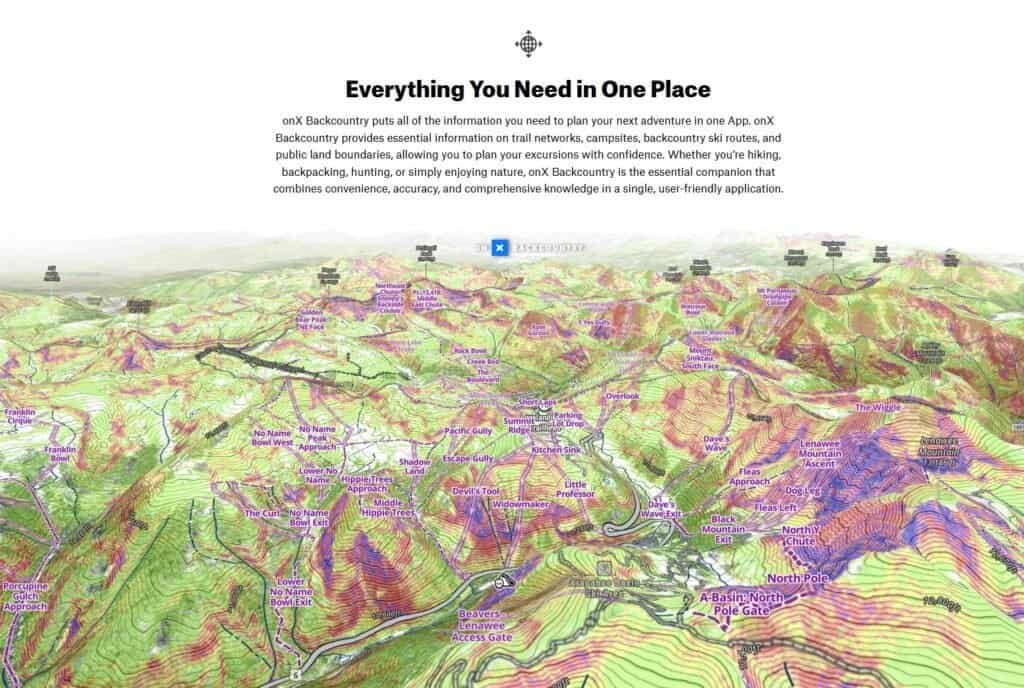
Offline Maps
This is the feature that matters most for preppers. Download your region ahead of time, and OnX Maps will function with zero signal — which is the entire point of having a backcountry nav tool in the first place.
Land Ownership & Property Lines
OnX Maps overlays public and private land boundaries directly on the map. For route planning that doesn’t end with you trespassing on someone’s deer lease, this feature alone justifies the subscription.
Waypoints & Track Recording
You can drop waypoints for water sources, caches, or rally points, and OnX Maps will record your track so you can retrace your steps exactly — critical if you’re scouting a route you’ll need to run again under worse conditions.
Topo, Satellite, and Hybrid Layers
Switching between topo and satellite imagery inside OnX Maps lets you cross-reference elevation changes with actual ground cover — useful for spotting bottlenecks, water, and likely shelter terrain before you ever set foot on the trail.
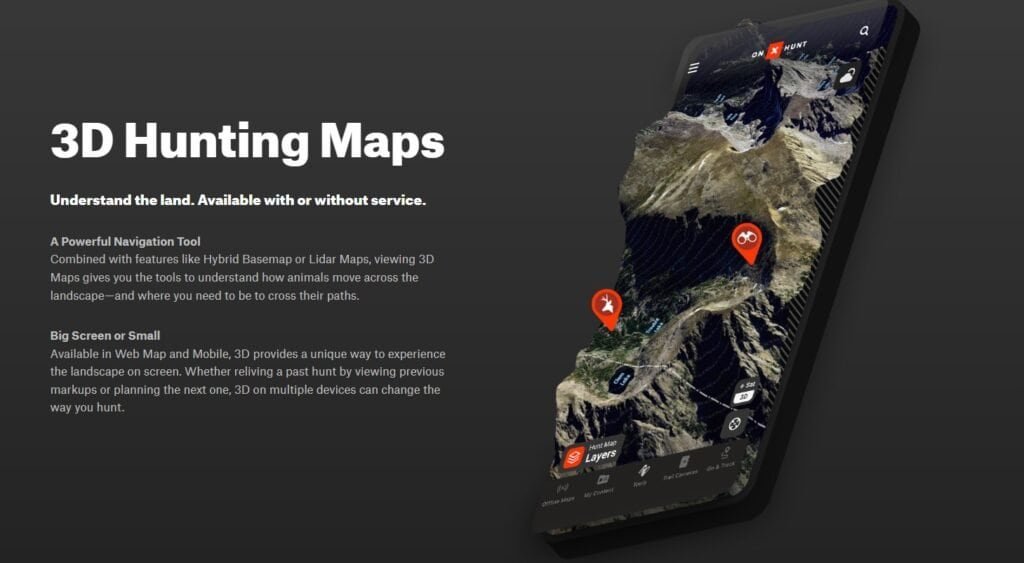
3D Map View (Elite)
The 3D terrain view in OnX Maps gives you a much clearer read on elevation and sightlines than a flat topo map can, which matters more than people expect when you’re trying to avoid getting boxed into a draw.
How I Use OnX Maps for Bug-Out Route Planning
Here’s where OnX Maps earns its keep beyond hunting season.
I use it to pre-scout primary and alternate bug-out routes from my location into the Ouachitas, marking water sources, defensible high ground, and known hazards along the way. Before I ever walk a route, I’ve already studied it inside OnX Maps using the satellite and topo layers together.
Then I download the offline maps for that whole region, so the app works exactly the same whether I’ve got five bars or zero. On the actual walk-through, I use waypoint tracking to confirm my planned route lines up with the real terrain — and adjust the plan when it doesn’t.
That combination — pre-planning with OnX Maps, then field-verifying with paper maps and a compass — is the backbone of how I teach land navigation through Adventure Wiser. The app speeds up planning. It doesn’t replace the fundamentals.
Alternatives to OnX Maps
I’ve tested a handful of competitors, and I’ll be covering full reviews of each in this App section:
- Gaia GPS — Strong topo data and route planning, popular with backpackers
- Avenza Maps — Good for custom/proprietary map uploads, less polished UX
- Paper maps + compass — Not an app, but still your non-negotiable backup
None of these fully replace OnX Maps for the land ownership data specifically — that’s still its strongest differentiator.
FAQs
Is OnX Maps worth it for preppers, not just hunters? Yes. The offline functionality, land ownership overlays, and waypoint tracking are just as valuable for bug-out route planning as they are for hunting.
Does OnX Maps work without cell service? Yes, as long as you’ve downloaded the maps for your area in advance. That’s the entire value proposition.
Which OnX Maps version should preppers buy? The Backcountry version is generally the better fit if you’re not specifically hunting.
Can OnX Maps replace a paper map and compass? No, and it shouldn’t try to. Treat it as a planning and verification tool, not a sole-source navigation method. Batteries die. Paper doesn’t.
Final Thoughts
OnX Maps isn’t hype, and it isn’t a gimmick — it’s a genuinely useful piece of land navigation gear that happens to live on your phone. For preppers serious about route planning, it’s earned a permanent spot in my kit, right alongside the stuff that doesn’t need batteries.
Is it worth the subscription? For what it replaces — and what it adds to route planning you can’t easily do on paper alone — yes.